

Keep our PCs clean and free from unwanted or unnecessary files and make sure we enjoy an optimal web browsing experience are the two main objectives of jv16 PowerTools. This program also includes a powerful uninstaller that removes not only any software tool installed on our computer but also the many left-over files that most of them tend to leave behind.
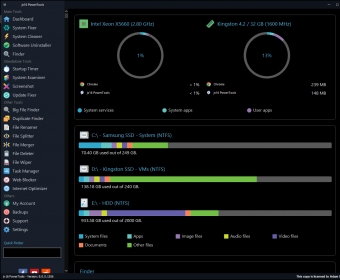
These are the three areas in which jv16 PowerTools is an expert, and these are the only options that you will find it its main interface. There are links to the Settings window and to the Backups section, where the program stores the restore points it automatically creates every time it fixes an issue.
When it comes to checking your Internet connection and the various settings that deal with your Internet browsing experience, it will take the program but a few seconds to have a complete overview of how your PC is performing in this area. It even performs a quick set of benchmarks to let you know how it is really doing compared to other similar equipment.
As for the System Cleaner option, the program comes with a powerful scan engine that searches for all known issues regarding all kinds of unnecessary files in no time. After this thorough scan, you are presented with a graphical representation of your system health, where you can see at a glance all registry errors, cookies and other temporary files, unneeded files and folders, empty folders, etc. If you want to know more about any of these issues (either globally or individually), the program will take you to each of them so that you can check for yourself if they should be removed or stay where they are.
The uninstaller that comes with the program does not differ much from the one included with your Windows OS, at least in terms of how they both look and work. However, jv16 PowerTools promises to remove not only the program itself but also all traces and left-over files that most software tools love leaving behind for reasons beyond me.
In terms of performance, I cannot find any objective reason not to use this tool. In terms of functionality, though, I found it a bit limited when compared to the myriad of other system maintenance and optimization tools available in the market for a similar fee and even for no fee at all. You can make use of its 14-day trial to decide if jv16 PowerTools covers all your requirements or not.





Comments